Library
How-to videos
Short AppraisalPilot how-to videos from Josh Stalk, one job each, in the order you work a report. Each has a one-page Quick Start you can print and follow along.

Want it on paper? Print the one-page checklist. Then take the how-tos below one job at a time.
One job at a time
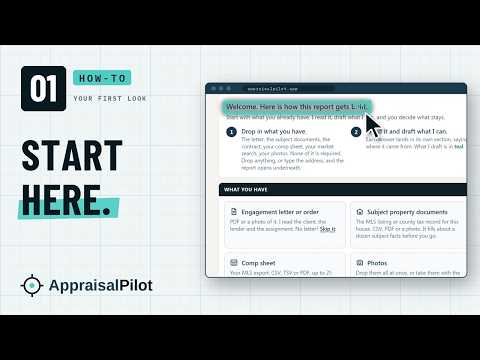 How-to 01 · 3:23Where Is Everything, and Where Do I Start?Your first look at AppraisalPilot. Signing in, the bar across the top, What you have, the report's sections, and how to start your first report.Watch it
 How-to 02 · 3:11What Do the Dots, Numbers and Colors on the Left Mean?The left panel in AppraisalPilot. What the navy checks, numbers, teal rings and dashed stops mean, and how one tap takes you to the box that is left.Watch it
 How-to 03 · 2:34What Does Teal Mean, and What Do I Do With It?Teal in AppraisalPilot is always a draft waiting for your yes. How to keep it or change it, find every draft, and what is never drafted for you.Watch it
 How-to 04 · 2:15How Do I Find Any Section or Box Fast?Never scroll and hunt. How to read a folded section, the Required button that takes you to the next box that needs you, Sections, and Find.Watch it
 How-to 05 · 2:33What Do I Set Up on Day One? Settings, Comments and the LibraryWhat to set up on day one in AppraisalPilot. Your license and company, your report software, signature, defects, the Comment Library and the Library.Watch it
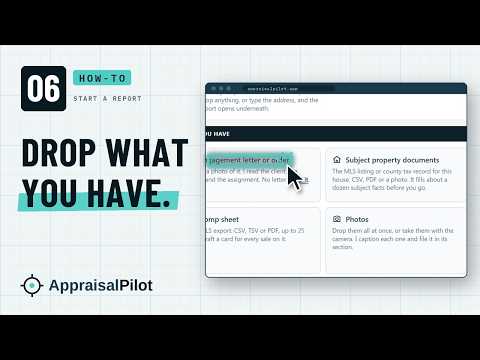 How-to 06 · 8:02How Do I Start a Report and Drop In What I Have?How to start a report in AppraisalPilot. Tap New, drop your engagement letter, listing sheet and contract, tap Use this address, and see where it lands.Watch it
 How-to 07 · 5:17How Do I Take, Drop In and Review My Photos?How photos get into AppraisalPilot. The camera at the house, one drop at your desk, the read, where each photo is filed, and the viewer with its drafts.Watch it
 How-to 08 · 4:23What Do My Photos Draft for the House, and What Is Mine?What your photos draft in Dwelling Exterior and Unit Interior, from materials to rooms, and why every quality and condition rating stays yours.Watch it
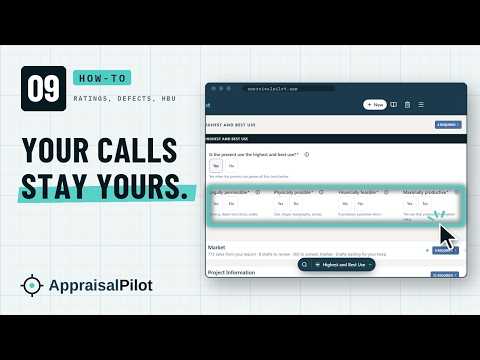 How-to 09 · 4:28Where Are the Calls That Stay Mine? Ratings, Defects, Highest and Best UseFunctional obsolescence, defects, the ADDD Review, overall quality and condition, and highest and best use. Where each one is, and why the calls are yours.Watch it
 How-to 10 · 3:00How Do I Finish the Site Section?How to finish the Site section in AppraisalPilot. Site size, SitePilot's drafted Site Commentary, disaster mitigation, energy features, and None.Watch it
 How-to 11 · 12:56How Do I Sketch the House and Get the Areas?How to sketch a house in AppraisalPilot. Walk the walls, close and name each shape, add the next floor, and get Finished Area Above Grade.Watch it
 How-to 12 · 6:12How Does My Market Search Fill the Market Section?How the Market section gets filled in AppraisalPilot. Export your MLS search as a CSV, drop it in, check the sales it read, keep the drafts, add the chart.Watch it
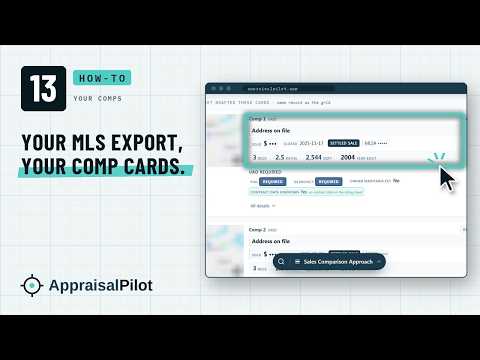 How-to 13 · 4:01How Do My Comps Get In?How your comps get into AppraisalPilot. Drop your MLS export on the Comp sheet spot, read each comp card, the UAD Required answers, and the front photos.Watch it
 How-to 14 · 6:41How Do I Fill the Grid Fast, and Where Do My Adjustments Go?The comparison grid in AppraisalPilot. Your comp order, Fill across, Same as subject, No adjustment, and where your adjustments, weights and value go.Watch it
 How-to 15 · 4:33What's Left Before I Export?What's left before you export. The approaches, reconciliation, NarrativePilot, QC Shield, Time Out and the Before you export check.Watch it
Every Quick Start, ready to print
One page each: the same steps as the video, and the one thing that trips people up.
- Start hereStart to finish: one report in AppraisalPilot, the whole dayPDF
- How-to 01First look: where everything is and where to startPDF
- How-to 02Left panel: your whole report on one linePDF
- How-to 03Teal and Keep: what the intern drafts and what you decidePDF
- How-to 04Getting around: Sections, Required and FindPDF
- How-to 05Day one setup: Settings, the Comment Library and the LibraryPDF
- How-to 06Start a report: your paperwork inPDF
- How-to 07Photos: on site and at your deskPDF
- How-to 08Dwelling Exterior and Unit Interior: what your photos draft and what is yoursPDF
- How-to 09Ratings, defects and highest and best use: the calls that stay yoursPDF
- How-to 10Site and SitePilot: how to finish the Site sectionPDF
- How-to 11Sketch: walk the walls, get the areasPDF
- How-to 12Market section: one export, the whole sectionPDF
- How-to 13Comps: your MLS export and the comp cardsPDF
- How-to 14Comparison grid: fill it fast, and where your adjustments goPDF
- How-to 15Finishing: the writing, QC Shield and Before you exportPDF
Free, every Wednesday, 9 AM Pacific
Bring your question to the Wednesday workshop
See the new URAR worked on a real report, and bring the question you came here with.
Save your seat for Wednesday